

Shifts where you want.
At the time you want.
Find, choose and confirm shifts in the app. In any city, at the hours that fit your life.


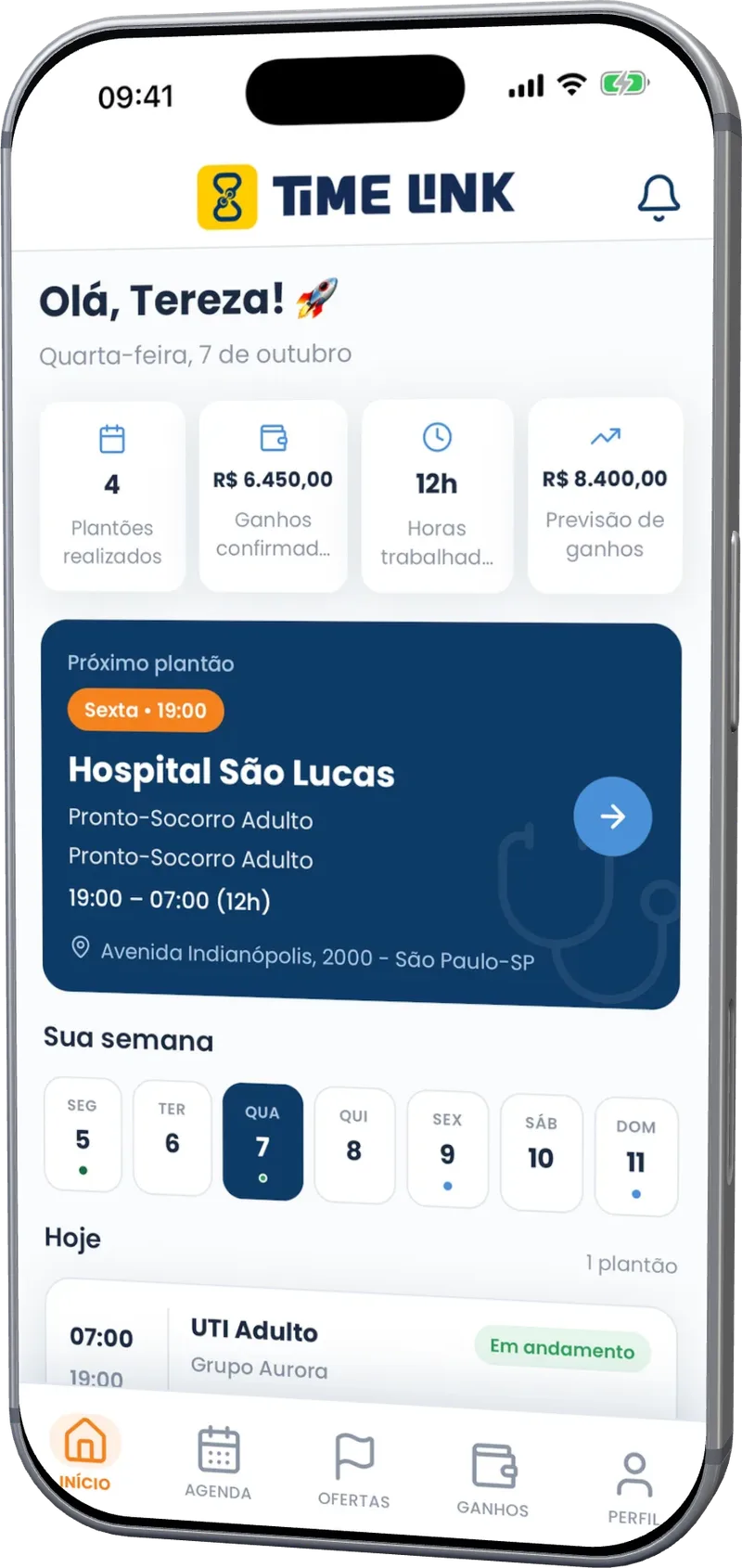
Time Link app Home screen, with completed shifts, earnings, hours and the professional's week
- ~638institutionsregistered institutions
- ~24,387professionalsprofessionals
- ~347,947shifts completedtotal shifts already completed
Time Link / How to book a shift
Finding your next shift just got simple.
- 1
Open and search
Openings near you, by list or map, with pay and hours up front.
- 2
Pick the opening that makes sense
By distance, by pay or by shift. You decide.
- 3
Confirm and go
One tap to apply. Once confirmed, the shift goes straight to your schedule.
That simple.
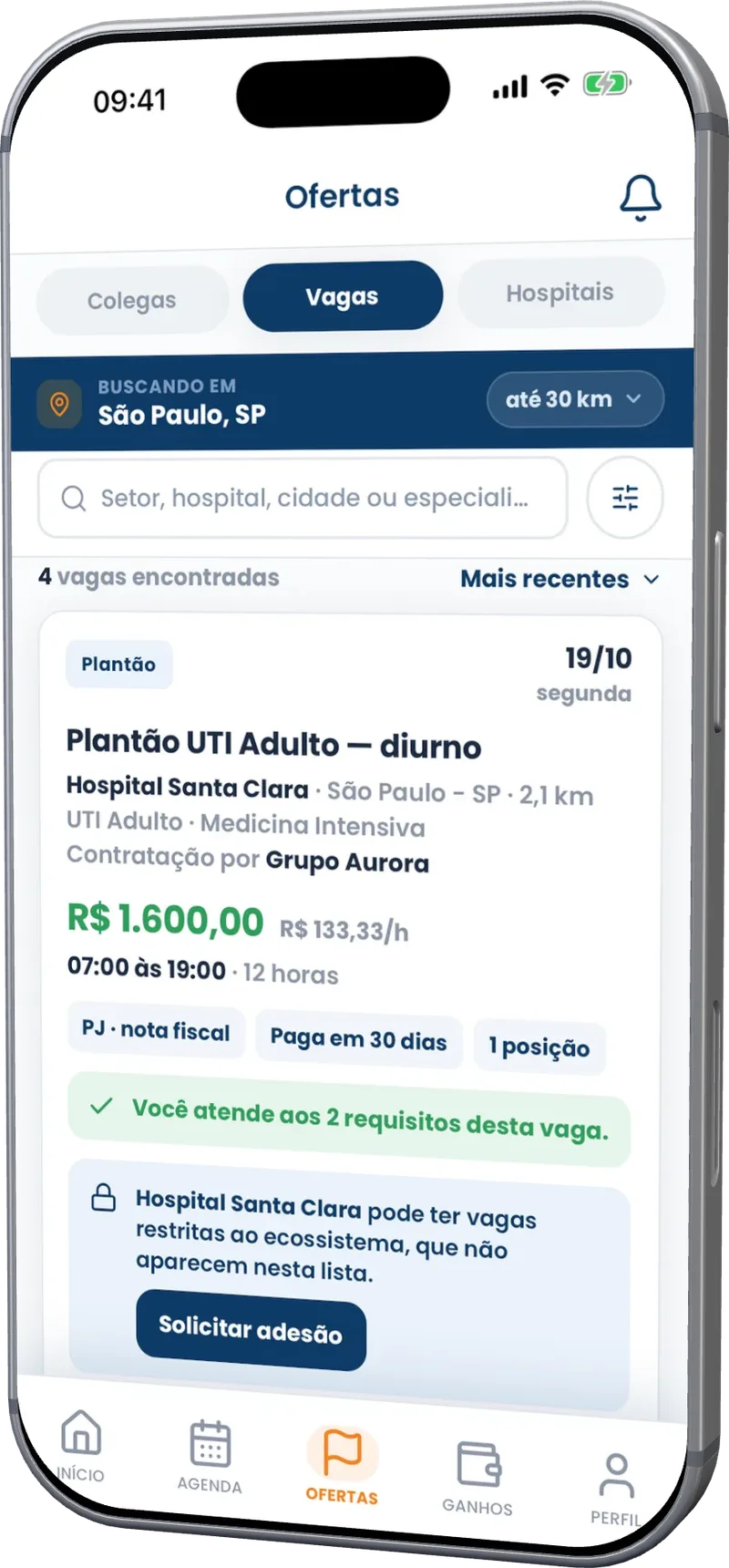
Time Link app Openings screen, with the shift search by list, filters and period
Time Link / Freedom of choice
You choose the city, the hospital and the hours.
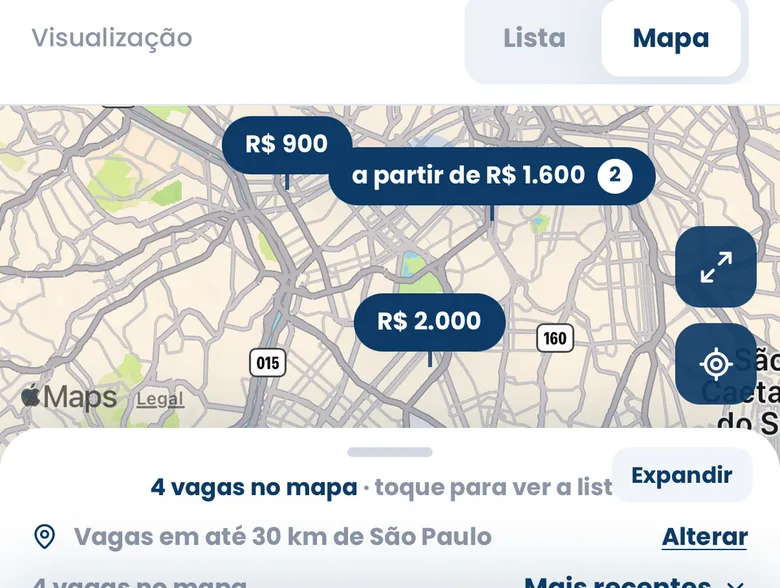
Openings across the state and beyond
Traveling? Moved to another city? Openings go with you. The map shows what is open nearby.
Filters by specialty and period
Days only. Weekends only. Your field only. See just what works for you.
Swap shifts with a colleague
Something came up? Propose a swap in the app and get on with your life.
Time Link / How much you will earn
Know how much you will receive before the month ends.
R$ 12,000.00R$ 12,000.00
R$ 8,000.00R$ 8,000.00
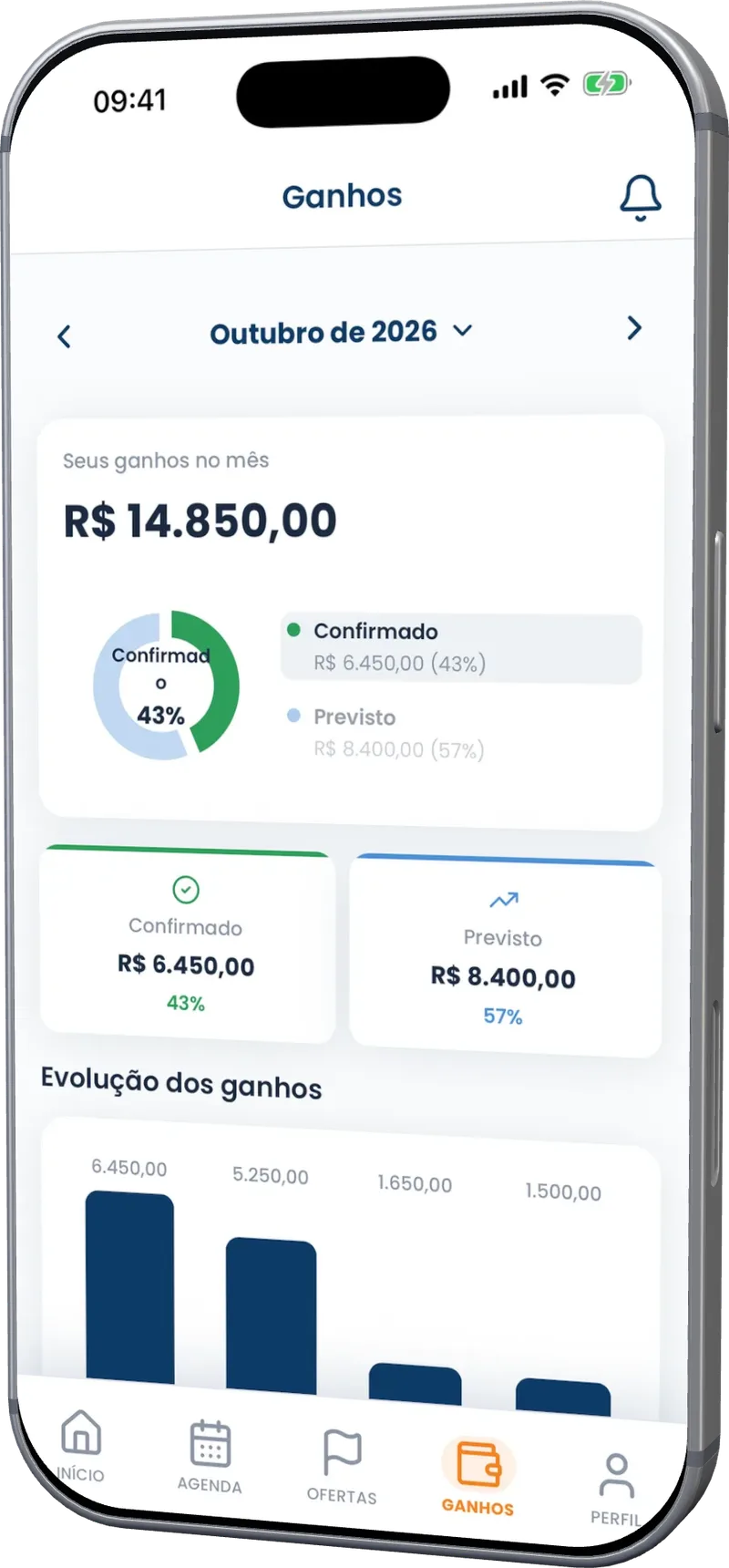
Time Link app Earnings screen, with the month's expected and confirmed amounts and the weekly trend
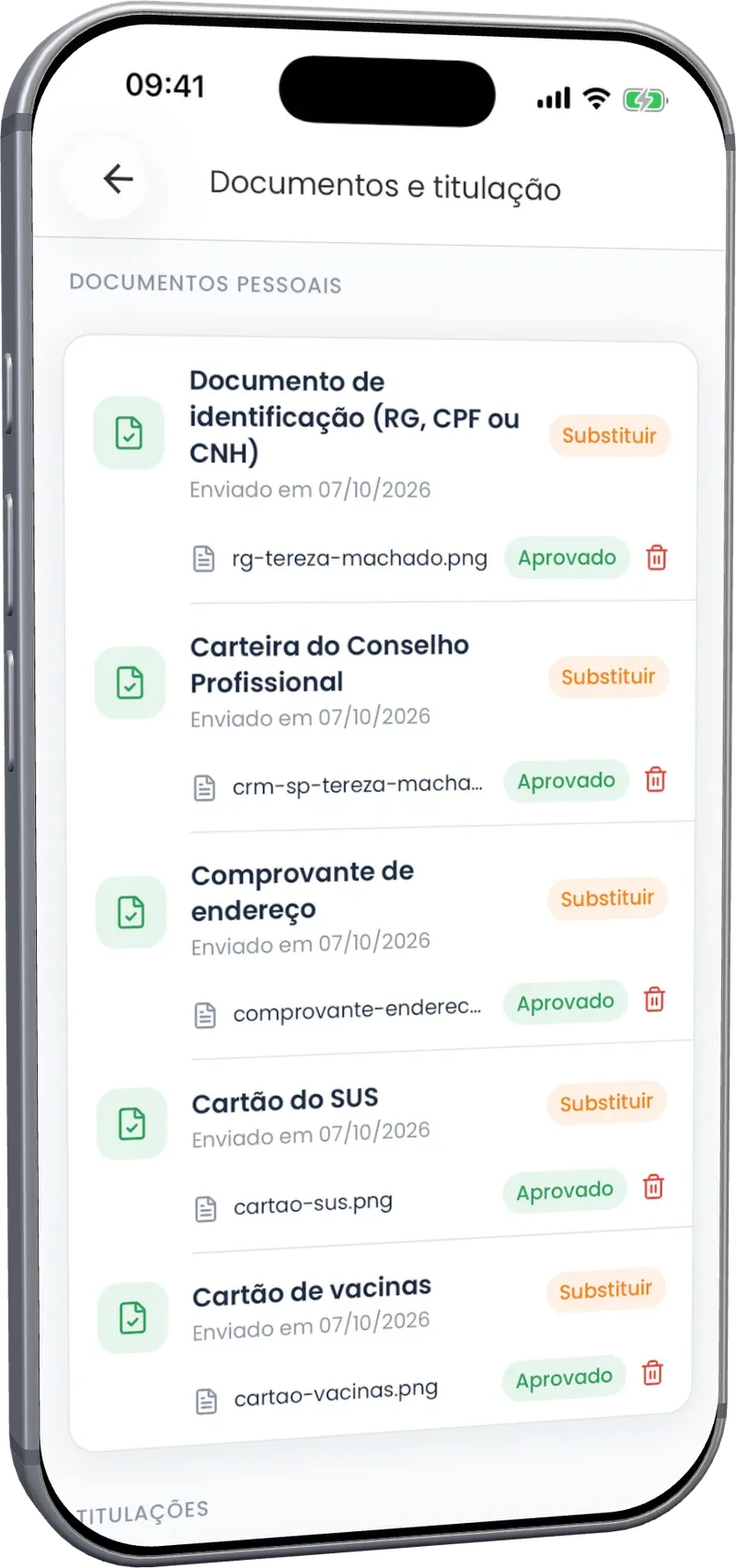
Time Link app Documents and credentials screen, with ID, medical license, proof of address, SUS card and vaccination card approved
Time Link / Your documents in one place
One profile. Your documents for different opportunities.
Register your professional license, credentials and company documents in one place. Share them with companies with your authorization, without resending the same files. Each company runs its own validation and may request updates or additional documents.
- CRM, COREN and other professional registrations
- Titles, certificates and specialties
- Details and documents for your company
- Track document validation by company
Time Link / Who already uses it
Who already books shifts in the app.
“[Short testimonial, 2 to 3 sentences, about the freedom to choose where and when to work.]”
“[Short testimonial about knowing how much you will receive before the month ends.]”
“[Short testimonial about not having to resend documents to every hospital.]”
Time Link / Plan
Your shifts, free.
New openings for R$ 9.90.
Professional
Basic Plan
To apply at companies you are not linked to yet. Where you already work, the app stays free.
- Openings worldwide
- Apply to new companies
- Schedule, confirmation and check-in where you already work
- Expected and confirmed earnings
- Documents on your profile
Already subscribed? Sign in to the app
Time Link / FAQ
Frequently asked questions.
You see the shift amount before you accept. After you accept, it shows on the Statement as expected; when the company validates the completed shift, it becomes confirmed. The company you are linked to pays you, that is, the company responsible for the schedule. Time Link records and organizes your earnings, but does not make the payment. On your profile, you say how you get paid (as a company, as a partner in the company, or as an individual) and register PIX or your bank details.
No. At companies where you already work, everything is free: schedule, shift confirmation, check-in and applying to openings. On the Marketplace, you see openings from other companies at no cost. To apply to them, you need the Basic Plan, R$ 9.90 a month. If a company invites you, the link is created with no subscription.
No. You register with your CPF and your professional council number (CRM, Coren, Crefito, and others). You set how you get paid (as a company, as a partner in the company, or as an individual) on your profile. Each company decides which forms it accepts on each schedule. If an opening requires a company, that is a rule of the hiring company, not a condition for using the app.
The app works across Brazil, and openings appear as companies in your region publish shifts on Time Link. Use the map to see shifts near you, or filter by city and state. Pay and hours show up before you apply. If you move cities or are just passing through, openings in the new place start showing up for you.
Every health professional: medicine, nursing, nursing technicians, physiotherapy, speech therapy, nutrition, psychology, pharmacy, dentistry, radiology technicians, biomedicine and other regulated professions, each with its own professional council. Every opening says which profession and specialty it is for.
You record arrival and departure in the app, at the start and end of the shift. Depending on the company rule, check-in can be the unit QR code, your location or a photo on the unit tablet. If something comes up, like a delay or a phone failure, the record is not blocked: it is flagged for the coordination team to validate. Recorded attendance goes into the shift closing, with no paper book.